Redz Hub Here's Why and How to Fix It (2026)
If Redz Hub is not working for you right now, you’re not alone and in most cases it’s an easy fix. The script usually stops working for one of a few reasons: a Roblox update, a Blox Fruits ban wave, planned maintenance, or an outdated executor. This guide walks you through why Redz Hub goes down and the exact steps to get it running again on both PC and mobile.
Quick answer: Redz Hub is most often “not working” because Roblox pushed a game update that broke the script, the developers took it offline for maintenance after a ban wave, or your executor is out of date. Updating your executor, re-copying the latest script, and waiting out maintenance solves it in most cases.
Access the latest script updates, bypass tutorials, and new game support by visiting the main Redz Hub Scripts homepage.
Why Is Redz Hub Not Working Right Now?
There isn’t just one reason. Scripts like Redz Hub sit on top of a live game, so anything that changes on Roblox’s side can knock them offline. Here are the most common causes.
Roblox or Blox Fruits Just Got an Update
Every time Roblox or Blox Fruits pushes a new update, the game’s internal code changes. The old script still points to functions that no longer exist, so it fails to execute or the GUI won’t load. This is the number-one reason Redz Hub suddenly stops working. The developers usually push a patched version within a few hours to a few days.
There's a Ban Wave in Progress
When Blox Fruits runs a ban wave, script developers often disable their hubs on purpose to protect users. Redz Hub has done this before most notably around Update 27, when it was taken offline for a while before coming back in beta. If the script is down and there’s talk of bans in the community, it’s likely being held back deliberately, not broken.
The Script Is Under Maintenance
Sometimes the answer is simply that Redz Hub is down for scheduled maintenance. The team disables the loadstring while they update features or fix compatibility. During this window, nothing you do on your end will make it work you just have to wait.
Your Executor Is Outdated
Redz Hub is only as reliable as the executor running it. If your Delta Executor, Arceus X, or other executor is a version behind, it may crash, fail to inject, or refuse to load the script. An outdated executor is one of the most overlooked reasons the script “won’t work.”
You Copied a Broken or Old Script
If you pasted a script from a random forum, an old video, or an expired link, it may already be dead. Old and wrongly copied scripts throw errors or do nothing at all. Always grab the current loadstring from a trusted source.
Skip the frustrating Linkvertise checkpoints and ads by following our guide to the Redz Hub script no key version.
How to Fix Redz Hub When It's Not Working
Work through these fixes in order. Most people are back up and running after the first two or three.
1. Update Your Executor to the Latest Version
Uninstall your current executor and download the newest version from its official source. A fresh, updated executor fixes injection failures, crashes, and compatibility errors instantly. This is the single most effective fix.
2. Re-Copy the Latest Redz Hub Script
Delete the old script from your executor’s editor and paste a fresh copy of the current Redz Hub loadstring. Make sure there are no missing characters or extra spaces, then execute again.
3. Restart Roblox and Your Executor
Fully close Roblox and your executor, then reopen both. Rejoin the game, wait until you’ve fully loaded in, and inject the script only after the game world has appeared. Injecting too early is a common cause of failure.
4. Check If Redz Hub Is Down for Everyone
Before you troubleshoot for hours, confirm it’s not a server-side issue. Check the official Redz Hub site, the community Discord, or recent TikTok and YouTube posts. If everyone is reporting the same problem, it’s down globally and you just need to wait for the update.
5. Sign In Again and Retry
If the script executes but features don’t respond, sign out of your Roblox account, sign back in, rejoin, and re-run the script. This clears session glitches that can block the GUI.
6. Try a Different Executor
Some executors don’t play nicely with certain Roblox versions. If yours keeps crashing, switch to a well-supported alternative like Delta Executor, which is known for reliable injection and anti-ban handling on mobile.
7. Wait for the Official Update
If it’s a fresh Roblox update or an active ban wave, no local fix will help. The developers need to patch the script on their end. Keep an eye on the official channels and try again once a new version is announced.
Maximize your passive Robux income using the auto-farming Pls Donate script Redz Hub.
Tips for Playing on Mobile
Playing with scripts on a phone is a little different than playing on a computer. Your screen is smaller. Your battery drains faster. But it is still super fun.
Hide the Menu
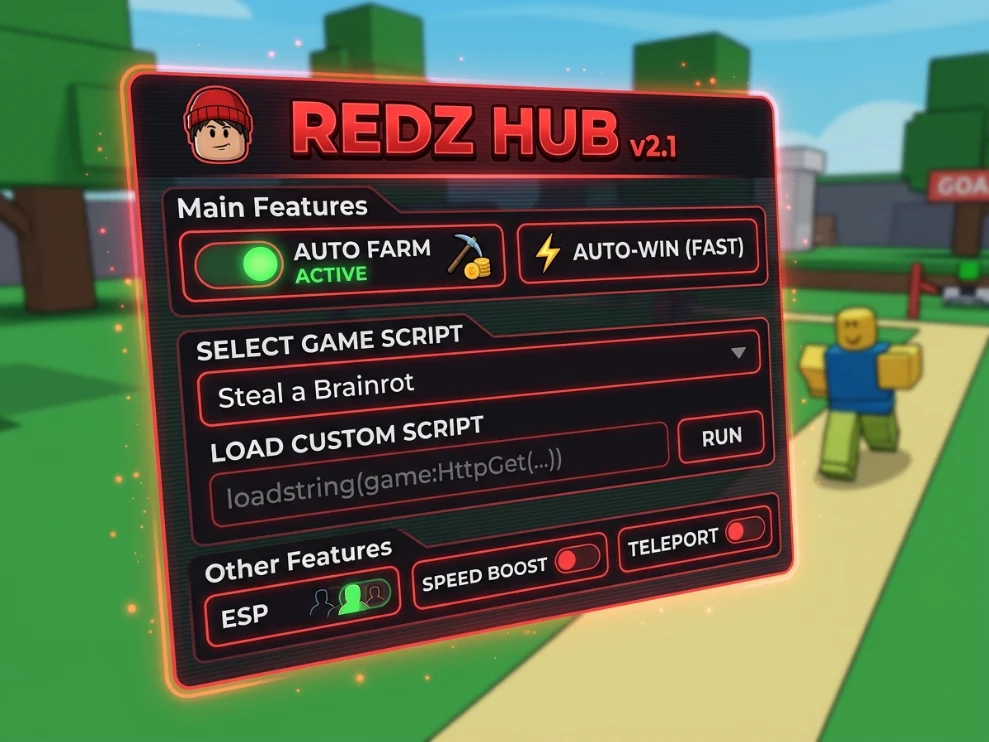
When you turn on your Auto Farm, the menu might be in your way. Look for the little “Redz” icon or a minimize button. Tap it. The menu will hide on the side of your screen. This way, you can actually see what your character is doing.
Watch Your Battery
Running an executor and farming very fast uses a lot of power. Your phone might get a little warm.
I highly recommend plugging your phone into a charger if you plan to leave the script running for a long time. You can also turn down the graphics inside the Roblox settings. Set it to the lowest number. The game will look a little ugly, but your phone will stay nice and cool.
Ensure your scripts inject without crashing by choosing from our updated list of the best Redz Hub executors.
Redz Hub Not Working on Mobile (Android & iOS)
On mobile, the usual culprit is the executor rather than the script itself. Make sure your Delta Executor or Arceus X app is updated to the latest version from the official source app stores don’t carry these, so an old sideloaded APK is often the problem. Reinstall the executor, grant it the permissions it asks for, join the game, wait to fully load, then inject. Redz Hub is designed to run keyless on both mobile and Windows, so if it’s asking for a key or throwing errors, you’re almost certainly on an outdated build.
Redz Hub Not Working on PC (Windows)
On Windows, script failures usually trace back to executor compatibility or antivirus interference. Update your executor, temporarily allow it through Windows Defender if it’s being blocked, and run it as administrator. Then re-copy the current script and execute after the game loads. If the executor crashes on launch, it’s likely incompatible with your current Roblox version update it or switch to a supported one.
How Long Does It Take for Redz Hub to Work Again?
It depends on the cause. A simple maintenance window can clear in a few hours. A fix after a major Roblox or Blox Fruits update usually lands within a day or two. A ban-wave shutdown can last longer, since the developers wait until it’s safe before re-enabling the hub. If it’s been down for more than a couple of days, watch the official site and community channels for the update announcement.
Is Redz Hub Safe to Use?
Redz Hub is a third-party automation script, and using any script or executor in Roblox goes against Roblox’s Terms of Service. That means there’s always a real risk of account suspension or a permanent ban, especially during ban waves. Only ever download the script and executor from trusted, official sources expired or tampered scripts from random sites can put your account and device at risk. Use it in moderation and understand the risk before you proceed.
Survive the chaos automatically and farm wins with our dedicated Redz Hub Escape for Tsunami Brainrots script.
FAQs
Why is Redz Hub not working today?
Most likely a recent Roblox update broke it, it’s under maintenance, or your executor is outdated. Update your executor, re-copy the latest script, and check the official channels to see if it’s down for everyone.
Is Redz Hub down or is it just me?
Check the official Redz Hub site and community Discord or social posts. If others report the same issue, it’s down globally and you should wait for the patch. If it’s only you, update your executor and re-copy the script.
Does Redz Hub need a key?
No Redz Hub is a keyless script, so you shouldn’t need to complete any key verification. If you’re being asked for a key, you likely have an old or fake version.
Which executor works best with Redz Hub?
Delta Executor is widely recommended for both mobile and PC because of its fast injection and anti-ban measures. Arceus X is a common alternative. Always use the latest version.
Yes. Using any script in Roblox violates its Terms of Service and can lead to a ban, particularly during ban waves. Use it cautiously and at your own risk.
Yes. Using any script in Roblox violates its Terms of Service and can lead to a ban, particularly during ban waves. Use it cautiously and at your own risk.
Maximize your passive Robux income using the auto-farming Pls Donate script Redz Hub.
Conclusion
Redz Hub may stop working because of a Roblox update, maintenance, or an outdated executor. If the problem affects everyone, waiting for an update is usually the best option. If it only affects you, check your executor and use the latest script version.
Remember that using Redz Hub scripts can lead to a Roblox ban because third-party scripts can violate Roblox rules. Always be careful with unofficial scripts, executors, and websites, and check trusted Redz Hub channels for the latest updates.